Free · Open source · For Power BI admins & developers
Bulk-refresh semantic models with a smart queue and live status. Read refresh history the portal way — or merged across models, which the portal can't do. Query models in DAX or plain SQL with live translation. Manage incremental partitions, find what's eating memory, scan best practices, and verify row-level security — all in one window, on your own permissions.
 PowerBI-Director.exe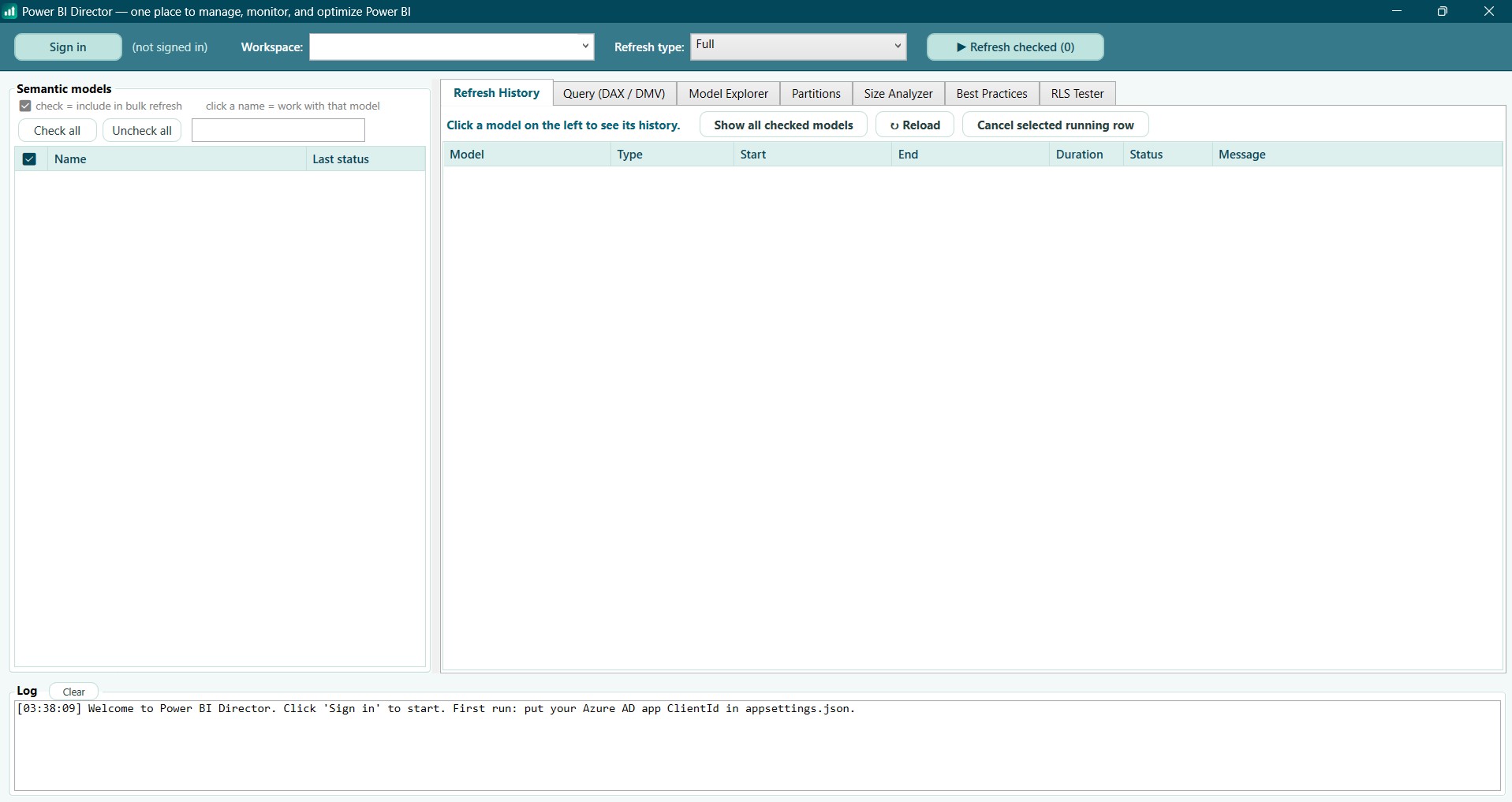
Two ways in
Most organizations require admin consent before third-party apps can use the Power BI APIs — a wall every consultant knows. Power BI Director gives you a second door: a direct XMLA connection using Microsoft's own sign-in, exactly like SSMS and DAX Studio, needing nothing but the access you already have.
Authenticates via your browser (MSAL). One-time consent in your organization.
If your tenant shows "Approval required", ask an admin once — or just use Direct connect meanwhile.
Microsoft's own Analysis Services sign-in, the same mechanism as SSMS. Type a workspace name, you're in.
Requires the workspace on Premium / Fabric / PPU capacity — the same prerequisite as SSMS and DAX Studio.
Features
Each feature lives where the others can help it: query the model you just refreshed, size-check the columns your best-practice scan flagged, verify RLS on the model you just explored.
Check any number of models, one click. Up to three refresh in parallel; the rest show queued and start automatically. Live per-model status with elapsed time — and you can keep starting more models while others run. A Jobs tab tracks every started job — model and partition — live.
Portal-style history that loads the moment you click a model — plus a merged, newest-first view across every checked model that the portal itself can't show. Cancel a running refresh from the same grid.
Run DAX and DMV queries against any model. Or flip to SQL mode: write a familiar SELECT, watch the generated DAX appear live as you type, then run it.
Tables, columns, measures and partitions over the XMLA endpoint, with last-refresh times and model size. Double-click a table to query its top rows.
Every partition with its incremental date range. Refresh exactly the ones you choose — reload one historical month in minutes instead of reprocessing years.
VertiPaq-style breakdown of what's eating memory: compressed data and dictionary size per column, largest first, with % of model.
A curated read-only rule scan — auto date/time bloat, floating-point columns, summarized IDs, bi-directional relationships, unmapped RLS roles — each finding with a concrete fix.
Pick a role, see its filter DAX, and compare per-table row counts with and without the role: Full, Filtered, or Blocked — verified, not assumed.
Quick start
Security
Requirements
| You want to… | You need… |
|---|---|
| Refresh, history, cancel, bulk operations (Sign in mode) | Any workspace you can contribute to — Power BI Pro is enough |
| Direct connect, Query, Explorer, Partitions, Size, Best Practices, RLS | Workspace on Premium / Fabric / PPU capacity (XMLA), plus Build permission on the model |
| Refresh individual partitions | The above, plus the capacity's XMLA endpoint set to Read/Write |